 HQ
HQSelf-hosted · Native Mac app
A company of AI agents, run from one Mac app.
Agents plan, build, review and ship. I approve.
- Working
- In review
- Needs you
- Live
- More than 30
- agent roles, each with its own notes to read
- 11
- kinds of “Needs you” ask
- 2
- AI engines: Claude and OpenAI Codex
- 2
- CEO agents for every project
Counts come from the code today and are rounded.
- developer
- reviewer
- planner
- designer
- writer
- researcher
- security
- debugger
- SEO
- social
- and more
What it is
One person. A whole company of agents.
HQ is a control room on my own server. The agents are set up like a company. Work gets planned, built, checked by someone else, and shipped.
Roles, not one big prompt
Each role has its own job and its own notes. Every project has two CEO agents. Specialists work under them.
A reviewer is never the builder
Work follows one road. A different agent checks it before it merges.
- Idea
- Mission
- Steps
- Review
- Merge
- Release
A merge is not a deploy
A release is sealed, rehearsed with real engines, and switched on with a check. If the check fails, HQ goes back by itself.
- Rehearsal
- Real engine
- Switch
- Live, or Roll back
One server. One Mac app.
HQ runs on one Linux server. I use it from a native Mac app. Nothing in the middle.
Claude and OpenAI Codex
HQ has both engines built in. Claude does nearly all the work today. Work is shared across several Claude accounts. A task waits for an account with room.
Features
Everything HQ does, A to Z.
Every item here works today. Anything that does not is on the Coming next list.
38 features
A
Accounts
Work is spread across several Claude accounts. A task waits for one with room.
Work
Ads studio
Ad pictures and videos for Meta and Google, in English, Arabic and French. They wait for my yes.
Mac app
Attachments
Add photos, files and screenshots to a chat. Paste or drag them in.
Talk
B
Belts
Standing assembly lines for work that repeats. Each has stations, limits and a review.
Work
C
Chat
Talk to a manager, any role, a small panel of roles, or plain Claude.
Talk
Connect a repository
Link a Git repository from the app. HQ reads it and makes it a project.
Work
F
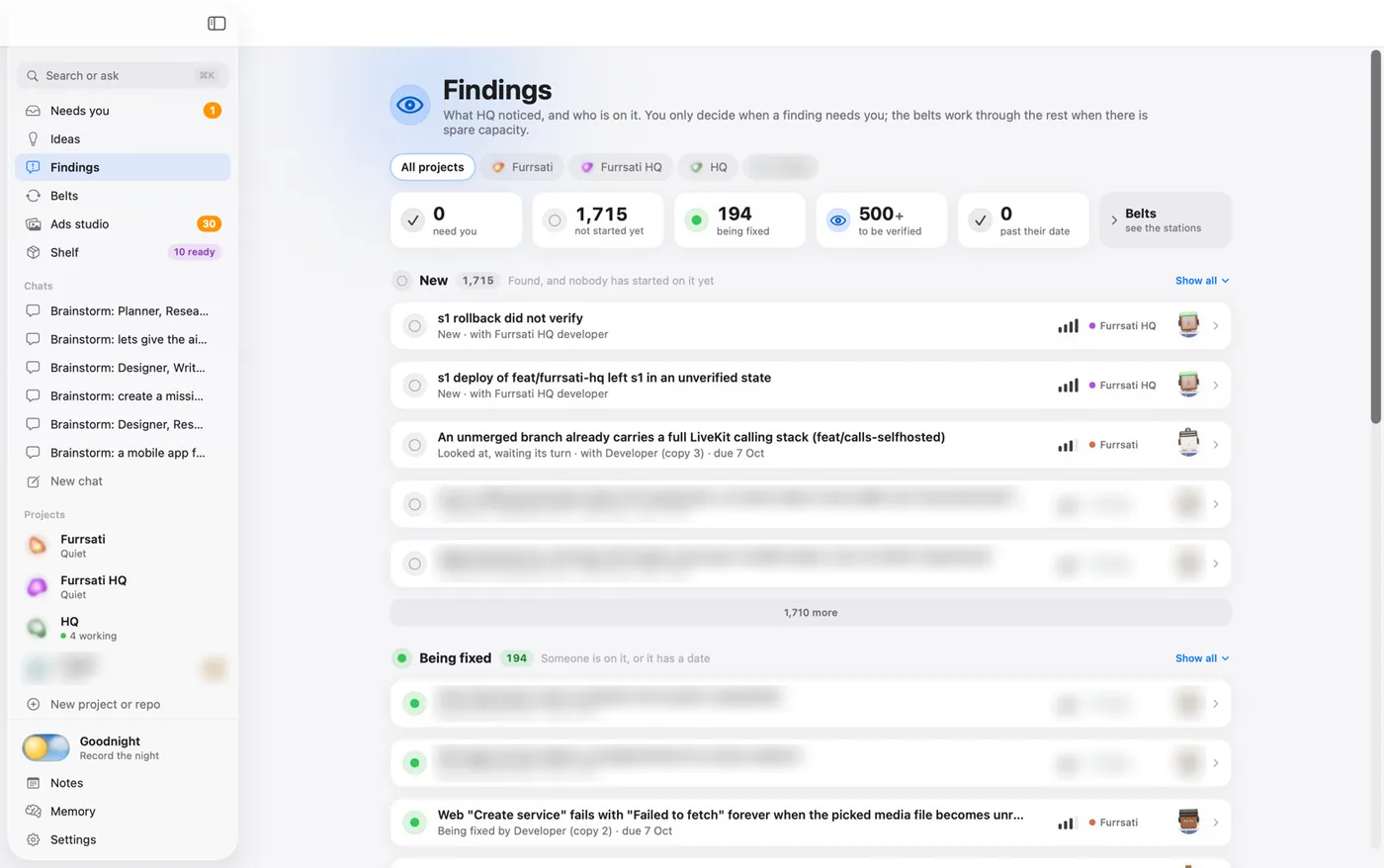
Findings
A register of problems. Each has a severity, an owner and a due date.
Work
Fresh copy per task
Every task is done by a new copy of a role that works only on that task.
Work
G
Goodnight
Switch it on for the night. In the morning, get a recap of what happened.
Mac app
Guardrails
Each project has rules that block dangerous commands, in every mode.
Safety
I
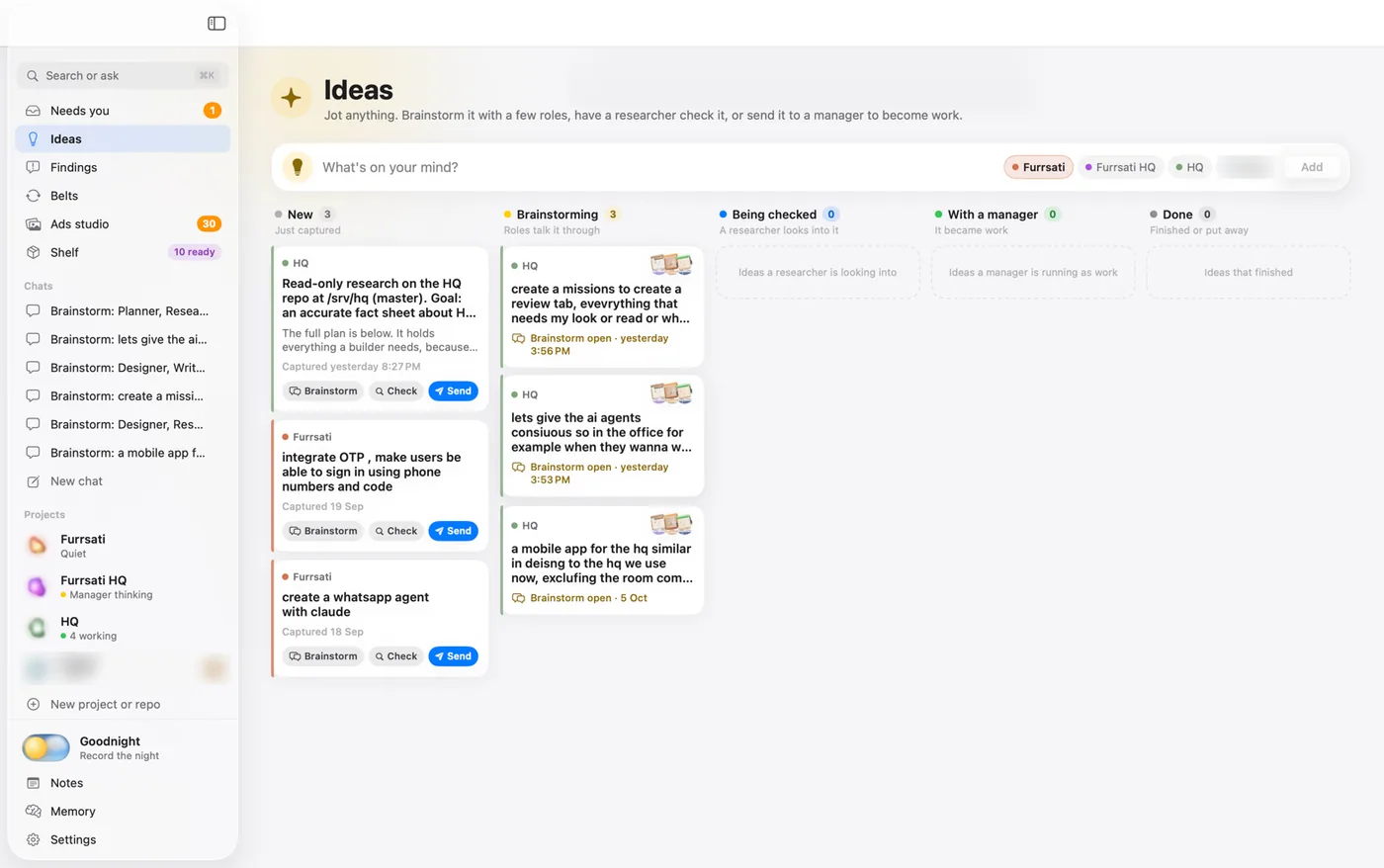
Ideas
Save a thought from any chat. Turn it into a mission when ready.
Work
Independent review
The builder, the owner and the person in the chat can never review the work.
Safety
L
Leases
A claim board for things only one agent can use at a time.
Safety
Limits enforced in the engine
A “no sub-agents” limit is part of the engine call, not only the prompt.
Safety
Live view
Press any agent to see its screen, its chat and its task. Send it a message while it works.
Mac app
M
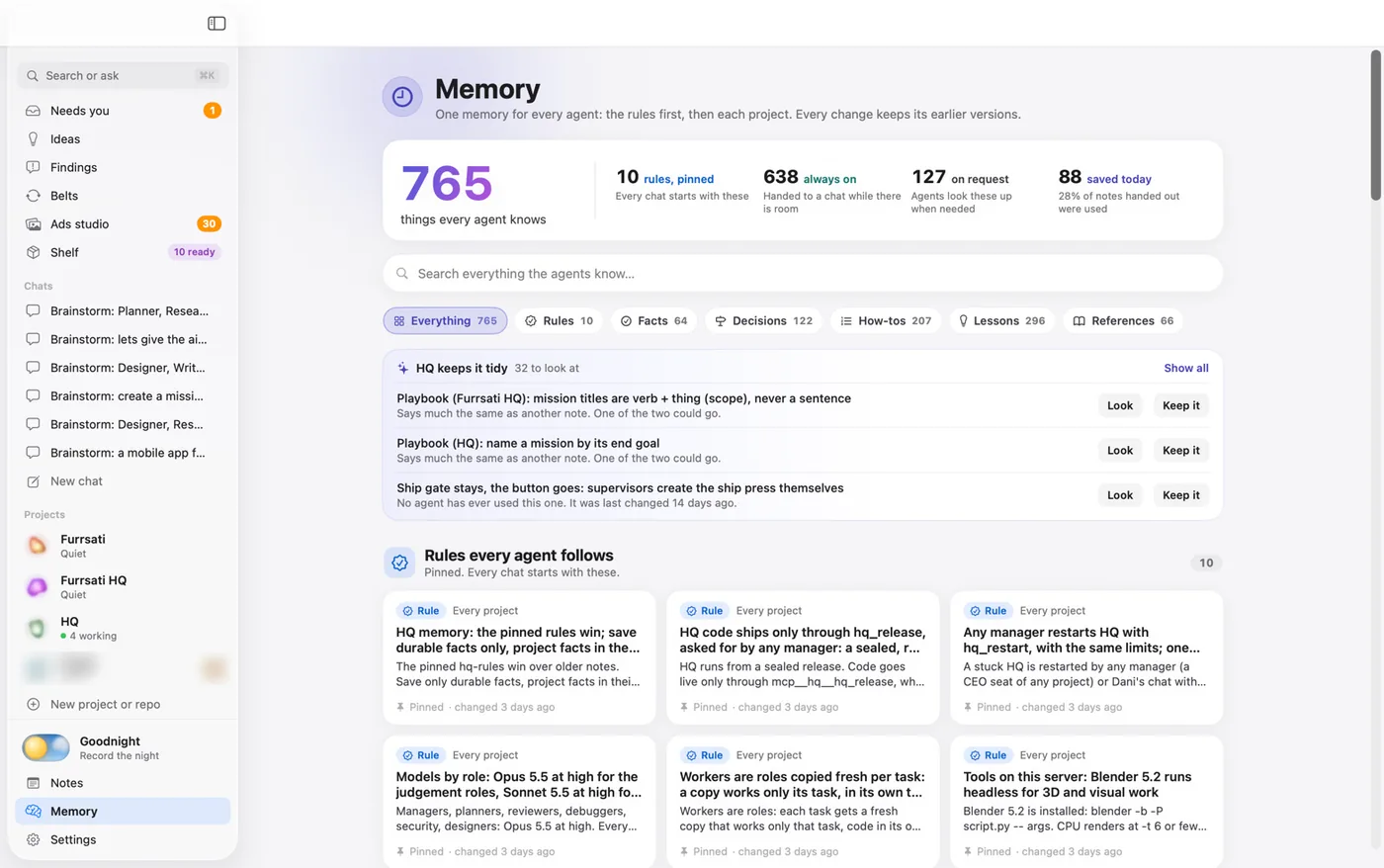
Memory
Notes that agents can search. Pinned notes are rules every agent sees.
Work
Missions
My goal word for word, plus an ordered plan. The last step is always a review.
Work
Models by role
HQ sets each role's model. Agents cannot pick their own.
Work
N
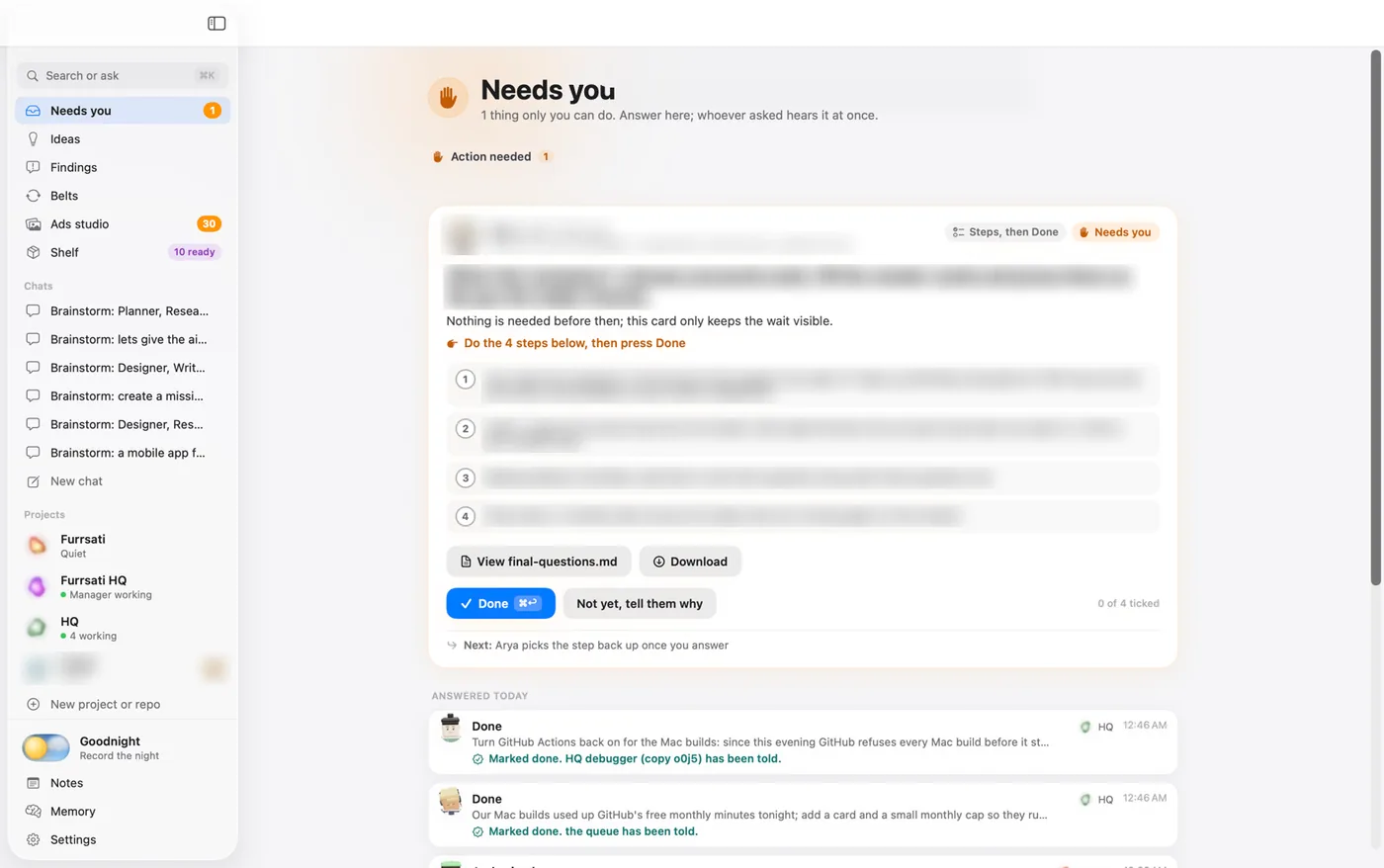
Needs you
One place for everything only I can do. Eleven kinds of ask.
Talk
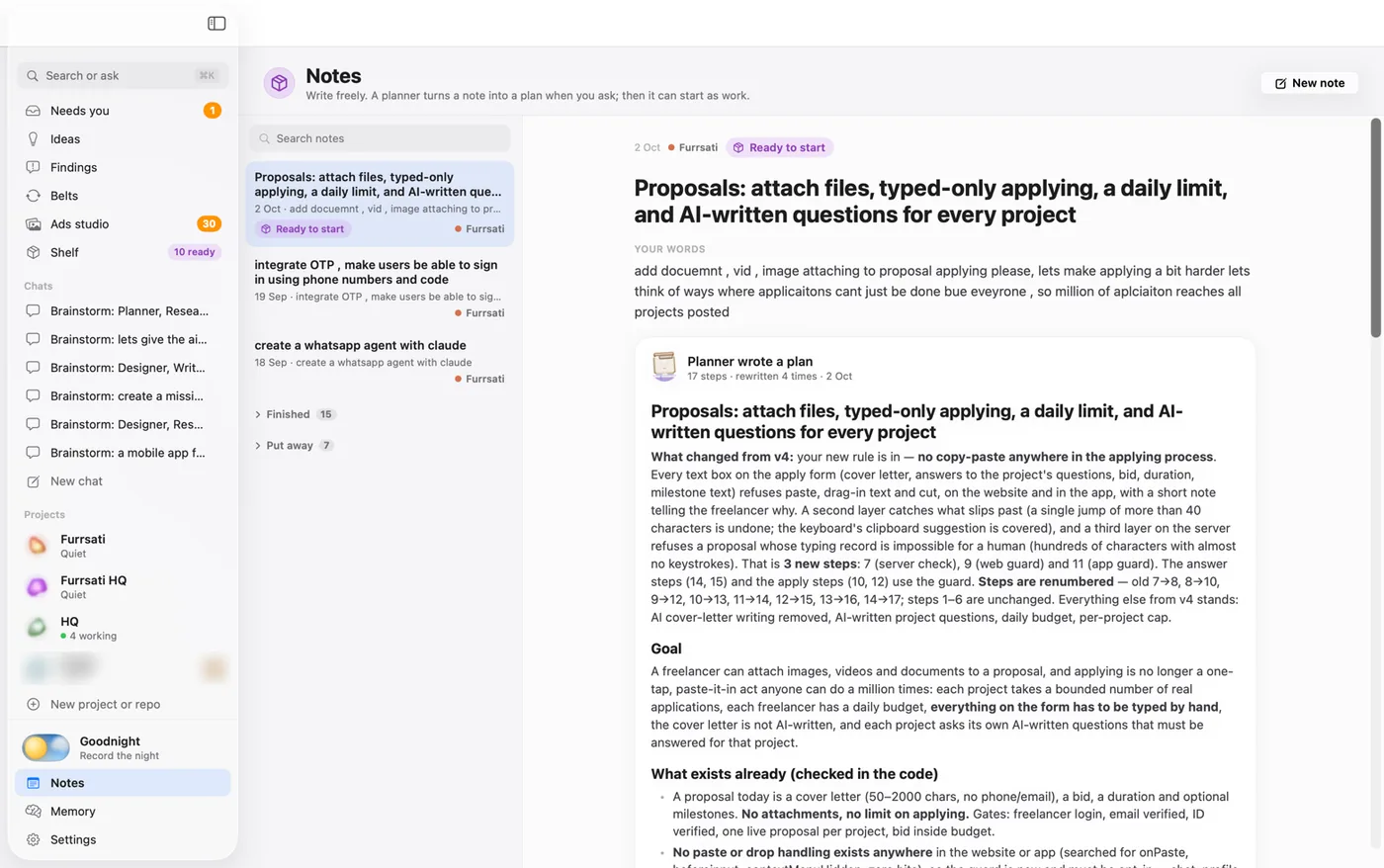
Notes
Saved notes, kept beside Memory.
Work
O
Office
A live 3D room. Agents walk, sit at desks and show their state.
Mac app
Own worktree
A task that writes code works in its own copy of the code. Two tasks never share one.
Safety
P
Project page
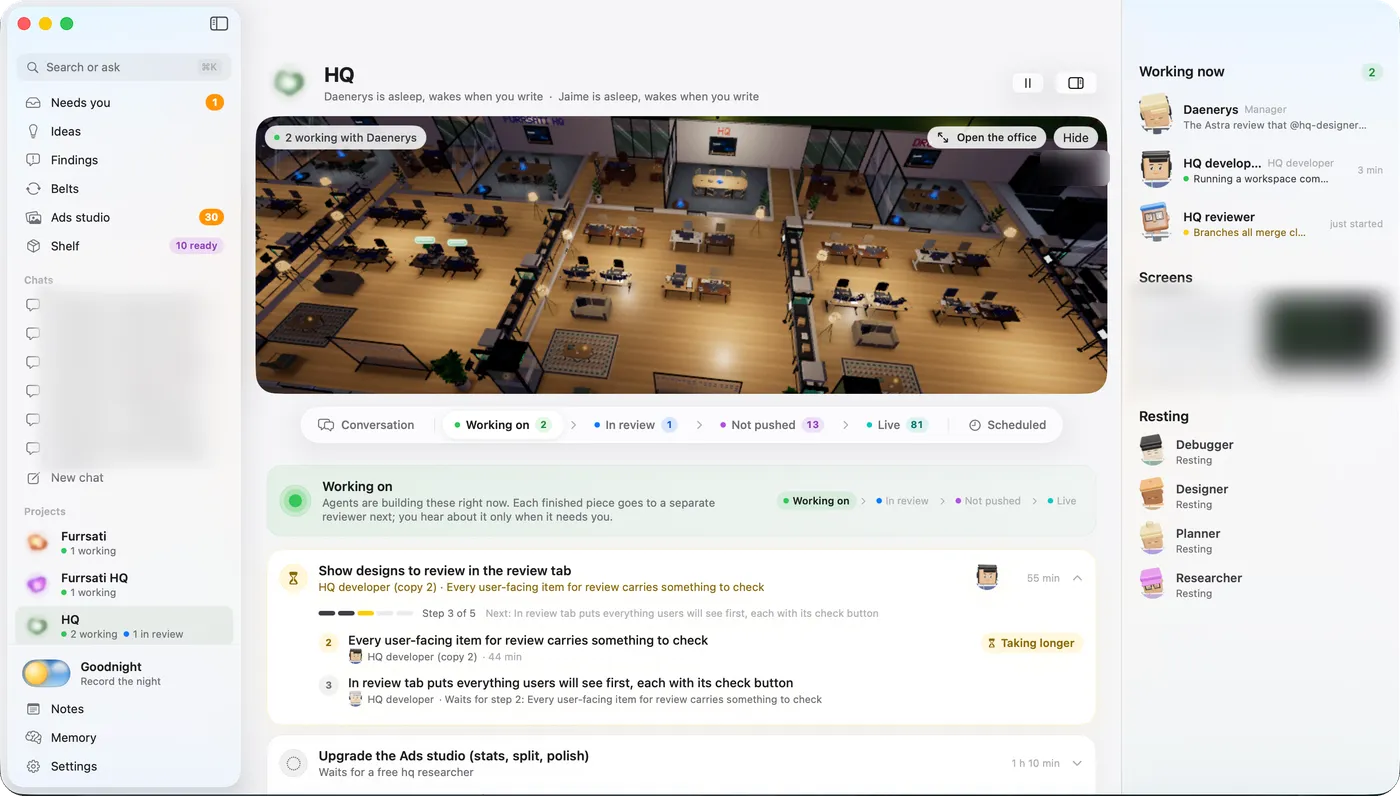
Six tabs (Conversation, Working on, In review, Not pushed, Live, Scheduled) and a track for each item.
Mac app
Pulse
A watcher for trouble. It raises stalled work and repeated failures, with a suggested fix.
Safety
R
Release
Code goes live only through a sealed, rehearsed release. It rolls back by itself if the check fails.
Safety
Restarts that wait
A restart waits for running work to finish. A stuck project can be recovered alone.
Safety
S
Scheduled runs
A schedule, a prompt and a role. HQ runs it on time.
Work
Search
Press ⌘K to jump to a page, a chat or a conversation.
Mac app
Secret cards
An agent asks for a secret in the app. The value goes straight to where it is used.
Safety
Self-updating Mac app
The sidebar offers “Update to build N”.
Mac app
Settings
Accounts and usage, team and models, server health and a real terminal.
Mac app
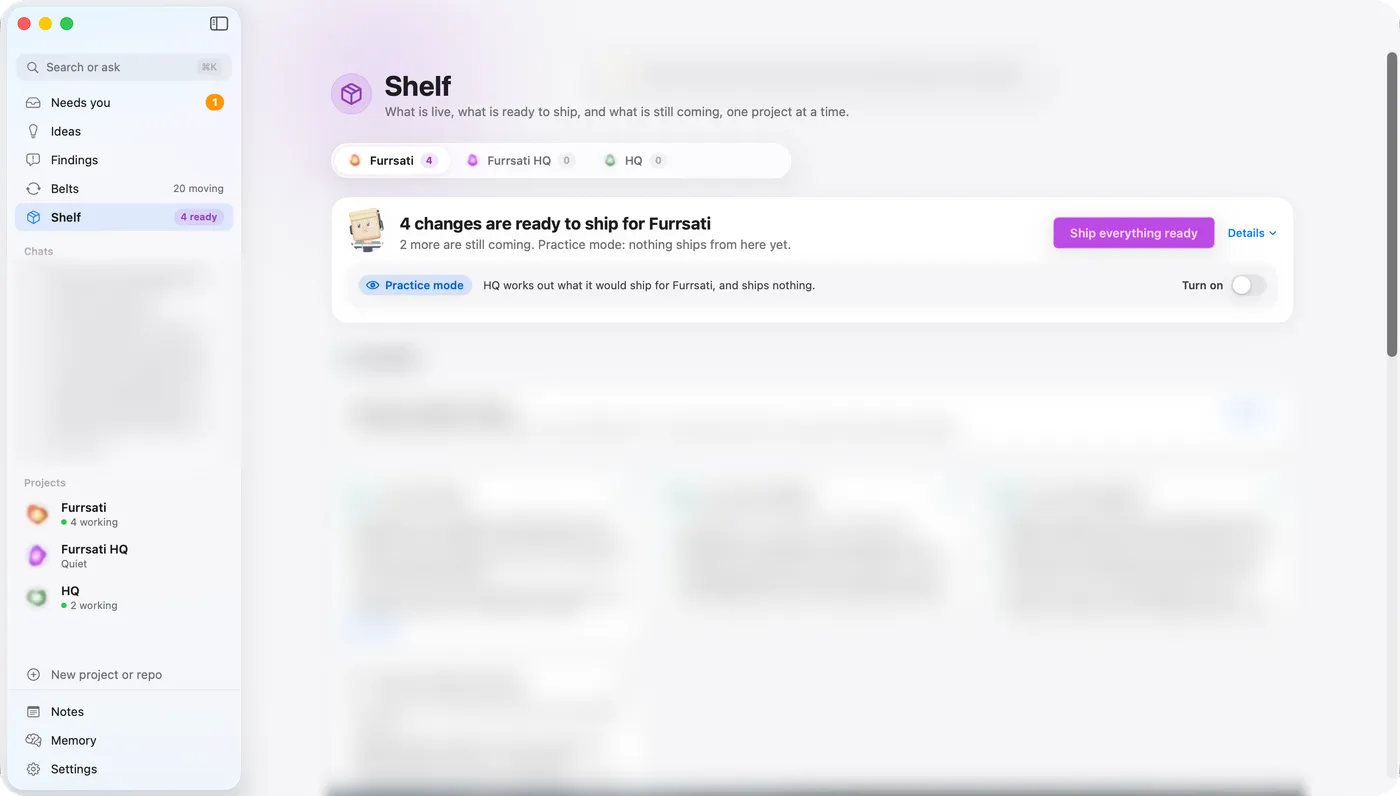
Shelf
A release board for each project. “Ship everything ready” sits at the top.
Mac app
Ship check
Before a ship, a read-only review step judges the facts.
Safety
Sign-in
A password plus a six-digit code. Repeated failures lock the door.
Safety
T
Two engines
Claude Agent SDK and OpenAI Codex engines. Claude carries almost all work today.
Work
V
Voice
Dictate with the microphone. The speech is turned into text on my own server.
Talk
W
Worker proposals
Workers cannot reach me. They file a proposal or ask a colleague.
Talk
No feature matches “”.
The Office
A live 3D room, not a wall of logs.
Every agent is a character. They walk, sit at desks and show what they are doing. Press one to open its live view.
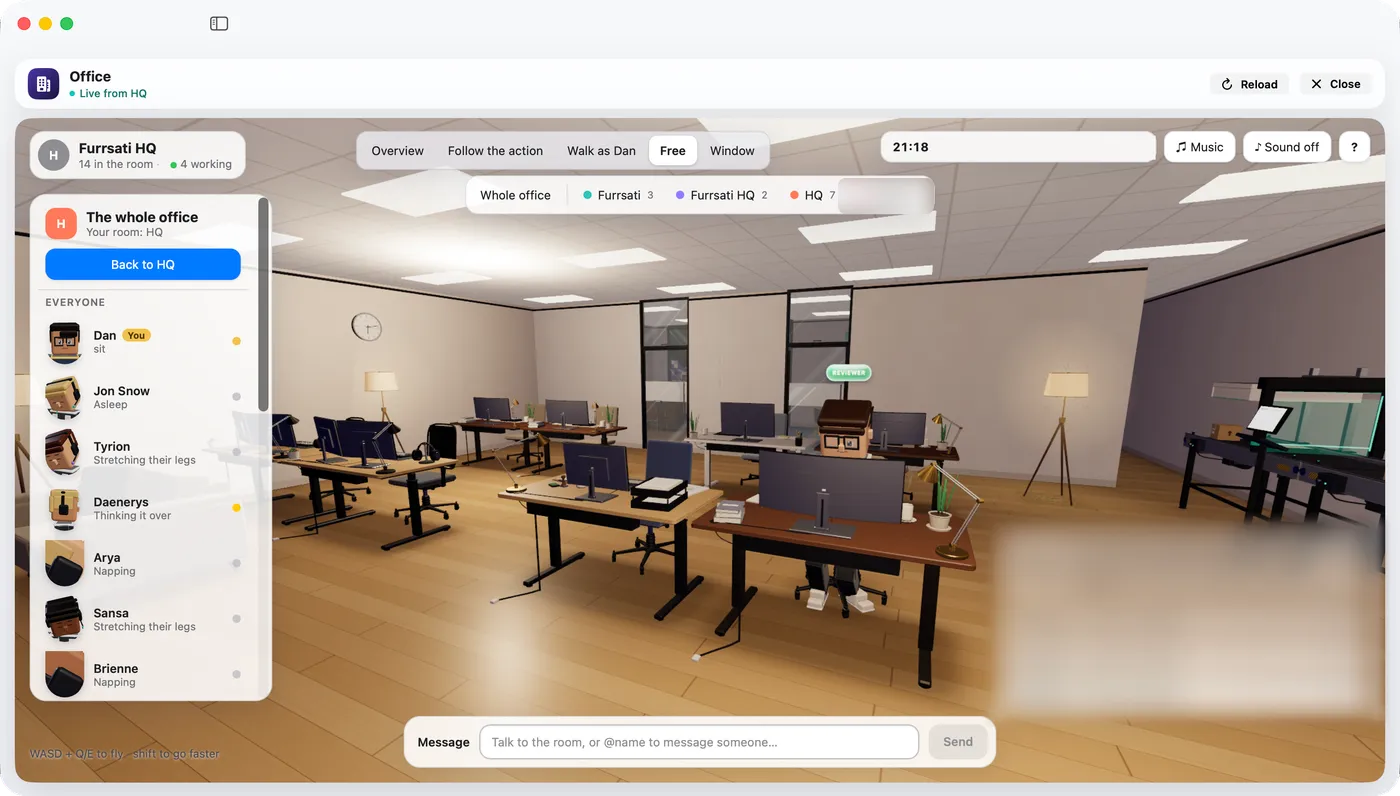
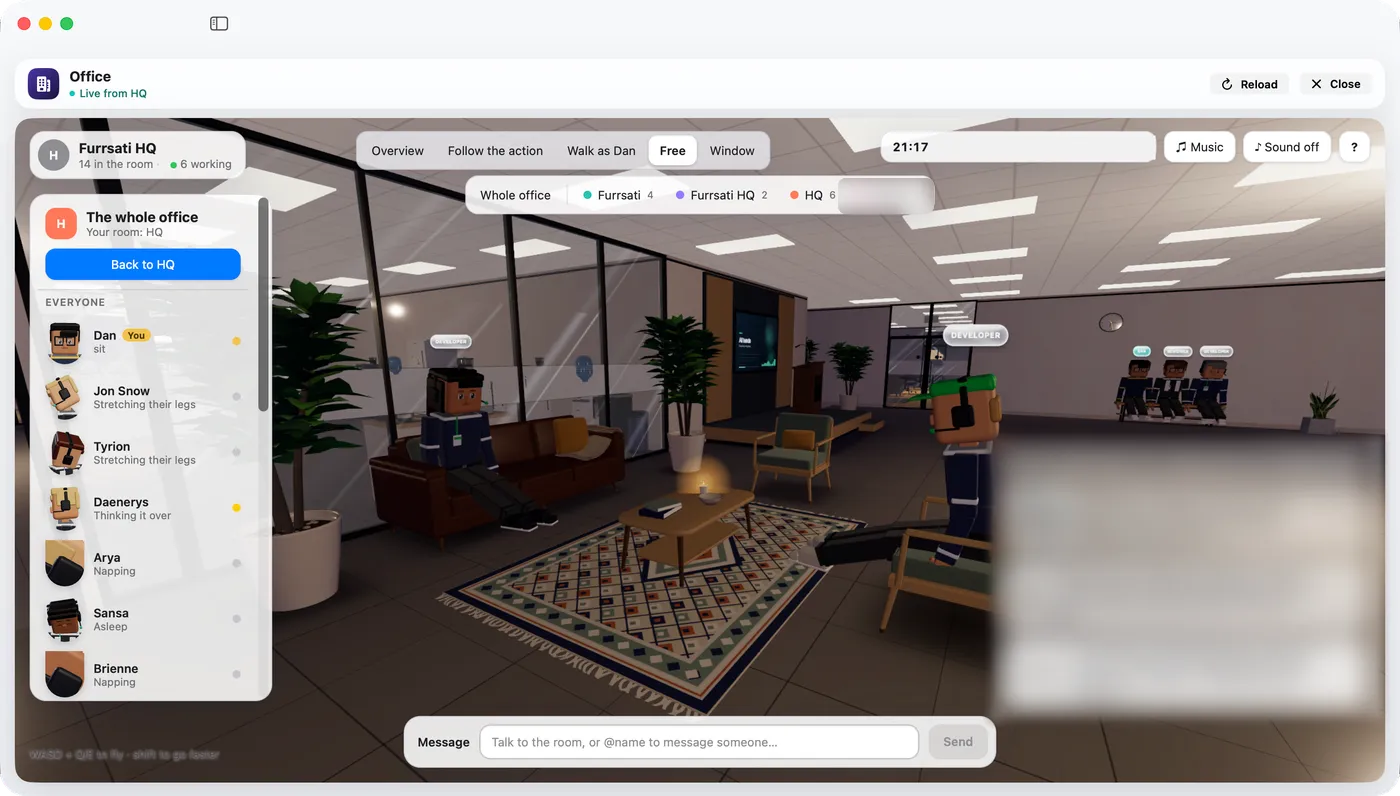
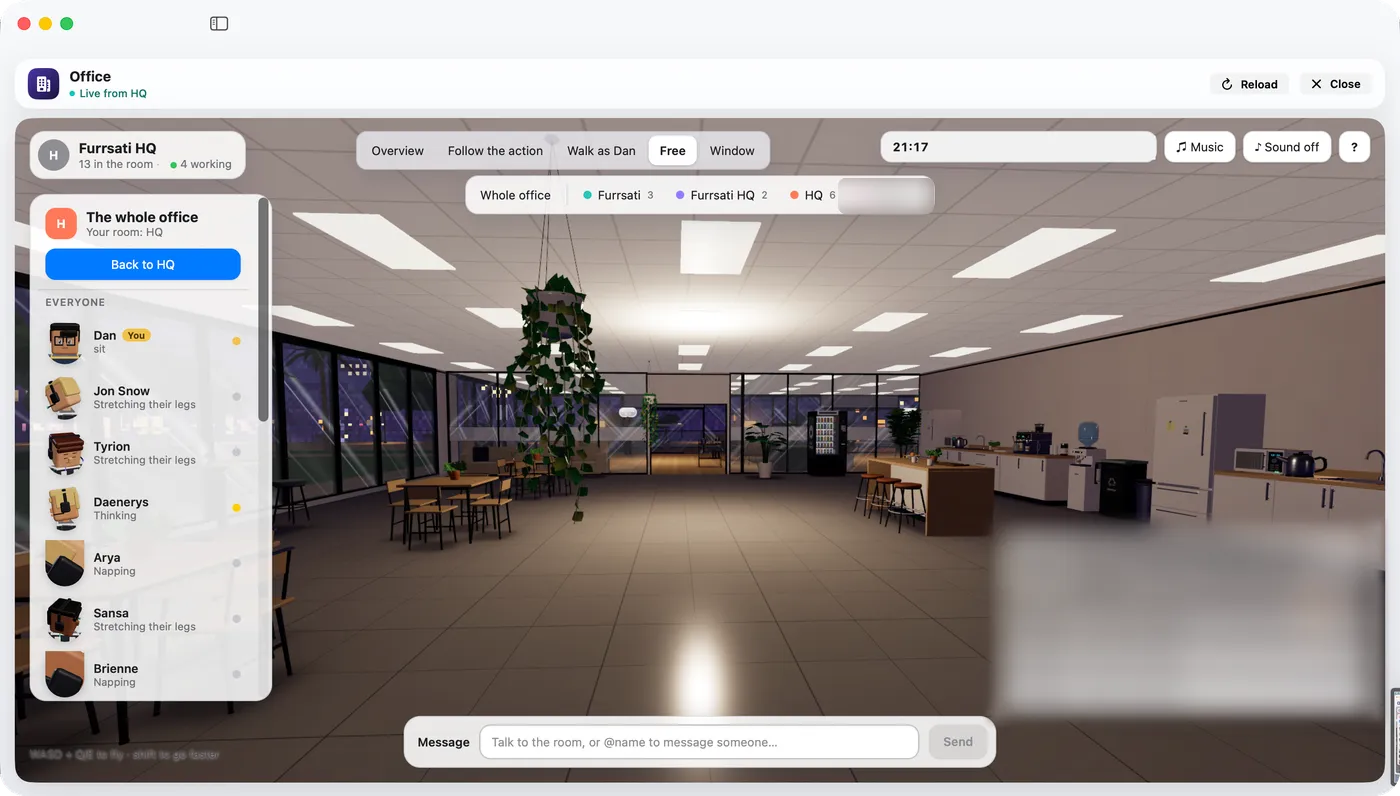
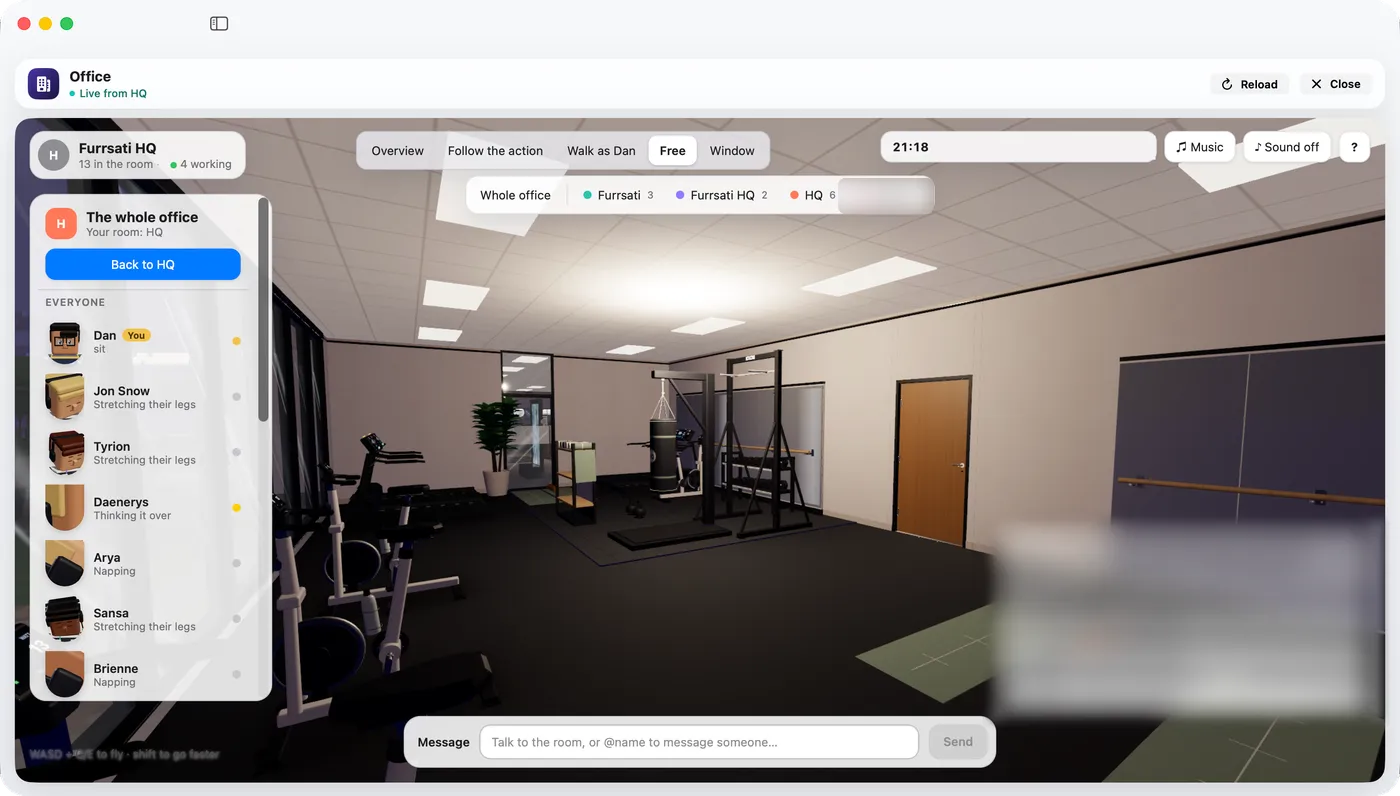
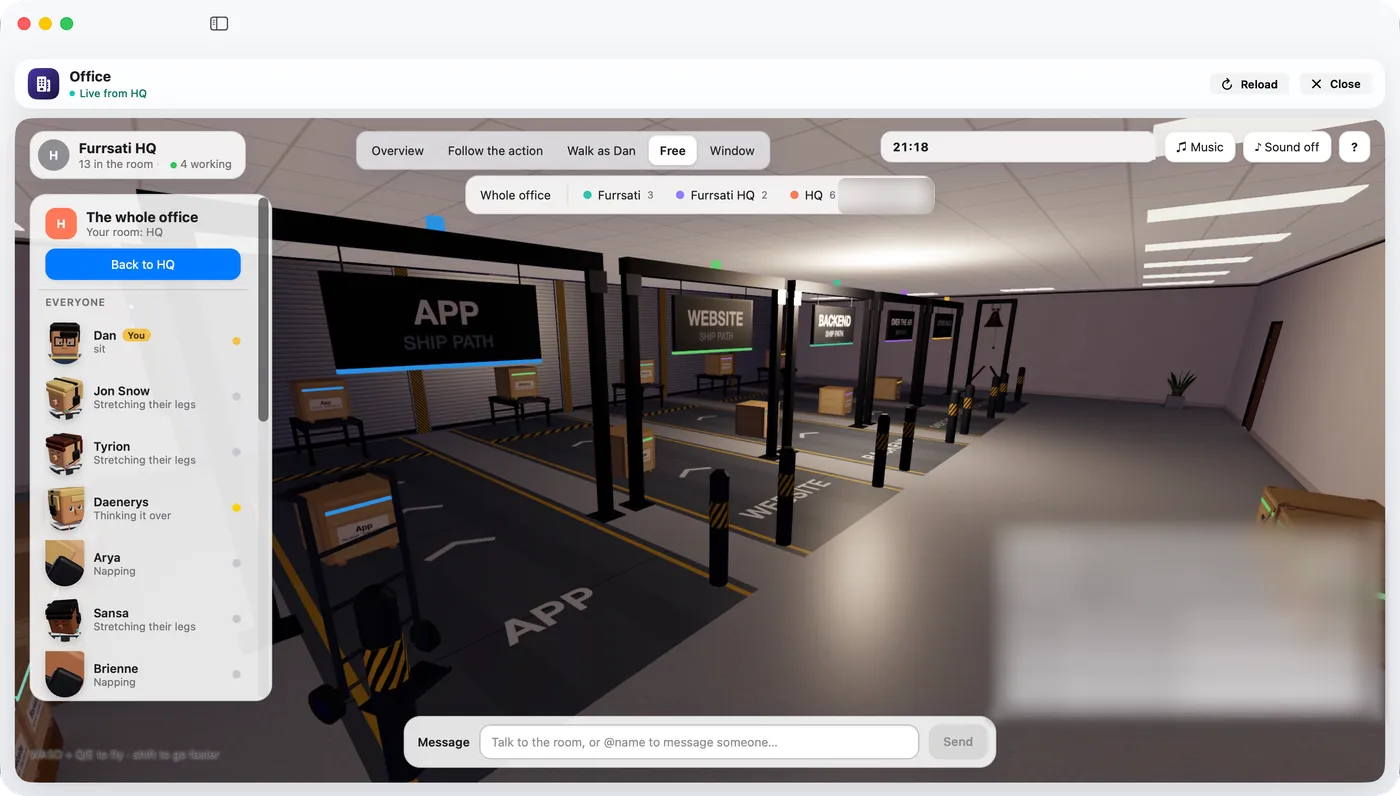
Five ways to look: Overview, Follow the action, Walk as Dan, Free and Window. Show the whole office, or one project.
Colour means state. Nothing else.
Every agent shows its state. Red means only one thing: Down.
- Working
- Thinking
- Needs you
- In review
- Ready to ship
- Live
- Scheduled
- Done
- Down
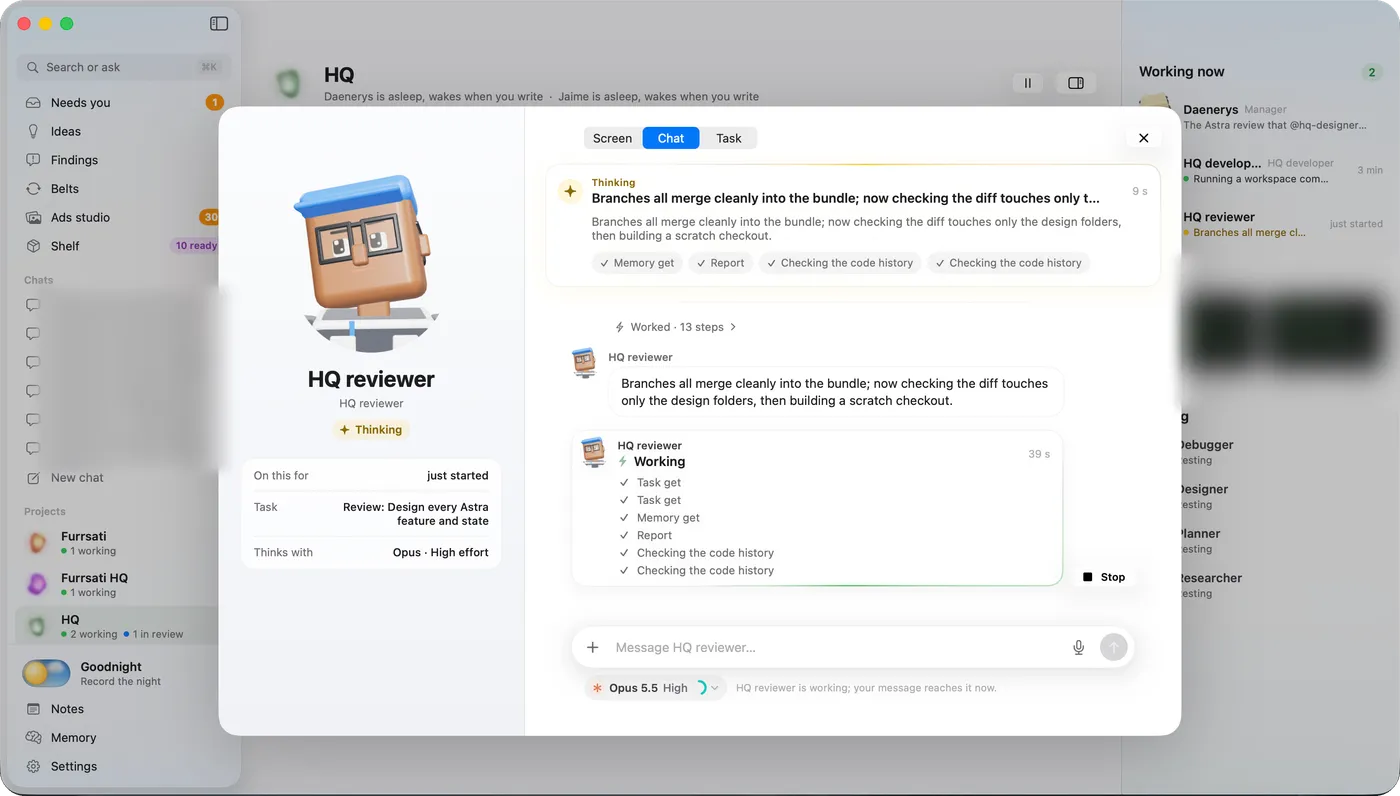
Open an agent and watch it work.
See what it is doing now. Its screen, its chat and its task are three tabs.
Send it a message while it works. The message reaches it now.
How a mission runs
From idea to a sealed release.
Every piece of work follows the same road. A separate agent checks it before it merges.
Idea
Start from a thought.
Every chat has “Save as idea” and “Turn into a mission”. Ideas wait in their own page.
Mission
My goal, word for word.
A mission keeps what I asked, exactly as I wrote it. Under it is an ordered plan. The last step is always a review. The mission's status follows its steps: planning, running, held, in review, needs you, done.
Steps
A fresh copy for every task.
Each step is claimed by a new copy of a role. It works only on that task. A copy that writes code gets its own copy of the code, so two tasks never collide.
Independent review
The reviewer is never the builder.
The reviewer cannot be the one who built it, the owner of the mission, or the agent in the mission's chat. HQ checks this when the review is claimed. With no valid reviewer, the mission waits. A manager must assign one, or waive it and give a reason.
Merge
Accepted work lands on master.
Unreviewed work is stopped at the gate. A merge is not a release.
Release
The only way code goes live.
A manager or I ask for a release. HQ seals a read-only copy, rehearses it, switches to it and checks it live. If the check fails, HQ goes back by itself.
Six tabs. A five-step track on every item.
Each project has its own orb. It turns while work is under way.
Your system asks for less motion, so every orb on this page is shown at rest.
The six tabs are Conversation, Working on, In review, Not pushed, Live and Scheduled. The track is Built, Reviewed, Accepted, Pushed, Live.
The machinery
The parts that keep working while I sleep.
Belts, scheduled runs, findings, memory and a watcher called Pulse.
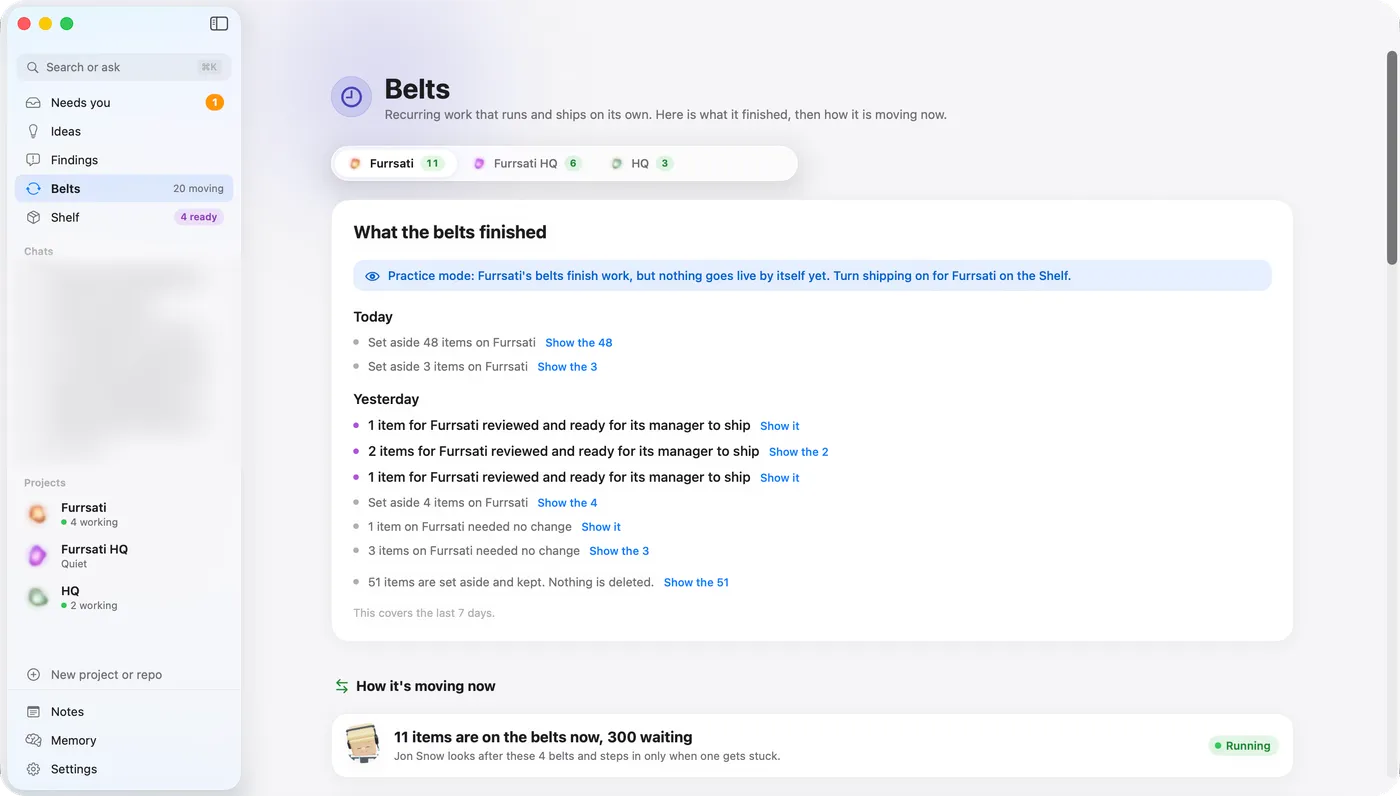
Belts
Standing assembly lines. For work that repeats. A belt has fixed stations and a limit on how much each can hold. It always has an independent review station. It ships its own output through the same ship check as everything else.
Scheduled runs
A schedule, a prompt, a role. Set when it runs, in my time zone. Write what to do. Pick which role does it.
Findings
A register with owners. Every finding has a severity, an owner and a due date. Only a person can close one as accepted risk or won't fix.
Memory
Notes every agent can find. Notes are saved and searchable. A pinned note is a rule every agent sees. Agents cannot archive a pinned note. Useful notes are shown to an agent when a task is handed out, when it gets blocked, and when something new is found.
Pulse
A watcher for trouble. Pulse looks across all work and raises a signal with a suggested fix.
- stalled work
- work that keeps failing
- idle agents while work waits
- two agents in one file
- messages nobody answered
- effort spent with nothing to show
- a review that was refused
- me repeating myself
The team
Managers with names. Workers with roles.
Each task is done by a fresh copy of a role. Nothing a worker does can reach me directly.
- Me, the founder
- Projects, each with two CEO agents
- Specialist roles, then a fresh copy for every task
Two CEO agents, Daenerys and Jaime, run HQ itself.
The model follows the role. Agents never choose.
Managers, planners, reviewers, debuggers, security agents and designers run on Opus. Every other role runs on Sonnet.
Workers file proposals.
A worker can file a proposal or ask a colleague a question that does not stop its work. Only managers bring things to me.
Leases stop collisions.
Some things can be used by one agent at a time: the phone emulator, a shared test database, a build port, and the merge into master. An agent must hold the lease first.
A task waits for an account with room.
Work runs across several Claude accounts. If one is used up, the task waits for another. It never starts on an account that is out.
Needs you
One box for everything only I can do.
Agents carry on by themselves. When something needs a person, it arrives here as an ask. Whoever asked hears my answer at once.
Done
Check the steps, then say done, or not yet and why.
Choice
Pick one.
Question
Answer a few questions.
Text
Write my own words.
Review
Look at what was built. Accept it, or send it back with a reason.
Permission
Allow once, always allow, or refuse.
Plan
Read a plan. Approve it before work starts.
Secret
Give a secret safely.
Press
Give the go for one action.
Ship
Release what is ready.
Form
Fill in a short form.
These are illustrations of each kind, not real asks.
Secrets never pass through the agent
An agent asks for a secret with a card in the app. The value goes straight to where it is used. HQ keeps only a short code made from it, so it can tell it was received. Secret requests are never written to the logs.
- Agent asks
- Card in the app
- Straight through
- Destination
Only managers bring things to me. Goodnight mode gives me a recap in the morning.
Shipping safely
A merge is not a deploy.
Code goes live in one way: a release. A manager or I ask for it. It must be reviewed and accepted first.
Review accepted
Sealed copy
Gate 1
Boot rehearsal
The sealed release starts on a cleaned copy of the live data. It rehearses handing out work.
Gate 2
Real engine, sandboxed
A real engine runs a throwaway mission in an isolated sandbox. It plans, works, gets reviewed and is accepted.
Gate 3
Switch and check
HQ switches to the release and runs a live check. If the check fails, HQ goes back to the last release by itself.
Live
Sign-in
A password plus a six-digit code. After repeated failures, HQ locks sign-in for a while. The session cookie only works on HQ's own address.
Guardrails are data
Each project has its own rules. A check runs before every tool call, in every permission mode. Rules protect the database, the backups and the engine files. They block commands such as wiping a disk or deleting everything.
Limits live in the engine
A limit like “no sub-agents” is enforced by the engine itself. It is not left to the prompt.
Restarts wait for running work
A restart waits for running work to finish. Recovering one stuck project puts its work back in the queue and leaves the other projects alone.
Ads need my own login
Only my own login can approve an ad. The ad tools refuse anything that is not on the approved list.
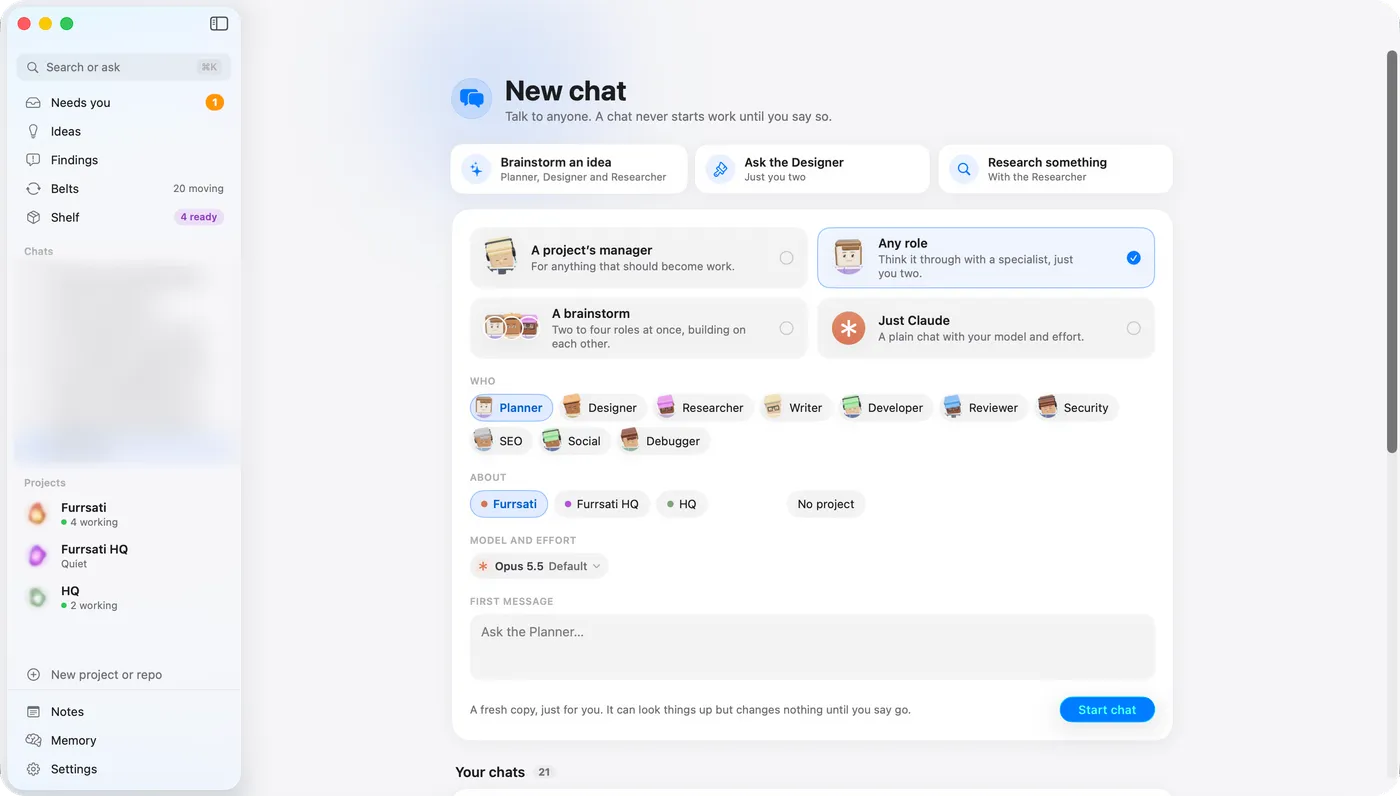
Chat
Chat with the whole company.
Talk to a manager, any role, a brainstorm panel of two to four roles, or plain Claude. Every chat has “Turn into a mission” and “Save as idea”.
- 1
It takes everything. Photos, files, screenshots, and drag and drop.
- 2
A microphone. The speech is turned into text on my own server. The audio never leaves it.
- 3
Pick the model, effort and account for each chat.
- 4
Live progress folds into one line, such as “Thought for a moment · 4 steps”. Open it for the detail.
Your voice, turned into text.
Dictation runs on the server, on the processor only. The audio never leaves the server.
The Mac app
Every screen, in one sidebar.
A native Mac app. It updates itself. Pick a screen below.
Settings
Accounts and usage, team and models, server health, a real terminal.
Goodnight
Record the night.
⌘K search
Jump to any page, chat or conversation from the keyboard.
Menu bar
HQ is one click away from anywhere.
Dock badge
A number shows what waits for me. Notifications tell me when something needs me.
Goodnight
A recap in the morning.
New project
Start a project, or connect a Git repository. HQ reads its set-up and adds it for me.
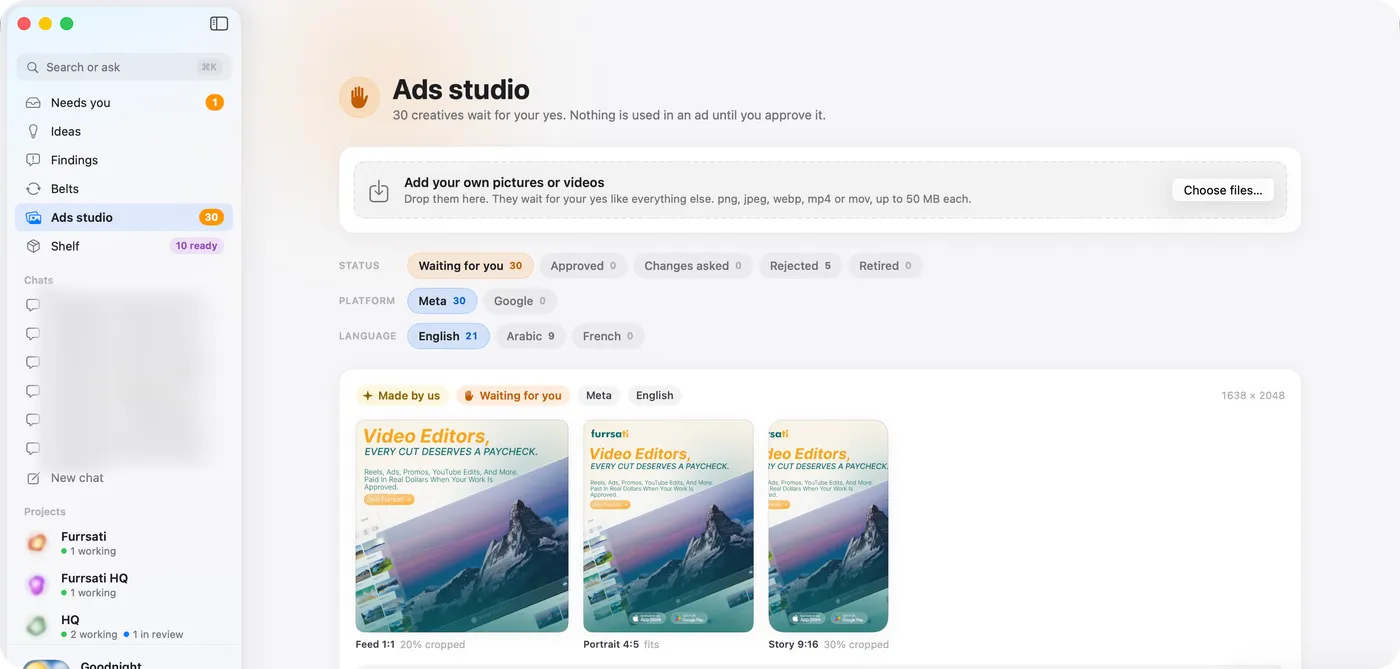
Ads studio
Creatives wait for my yes.
The studio holds ad pictures and videos for Meta and Google, in English, Arabic and French. Only my own login approves one. The ad tools refuse anything not on the approved list.
- Platform
- MetaGoogle
- Language
- EnglishArabicFrench
- Status
- Waiting for meApprovedChanges askedRejectedRetired
- Feed 1:1
- Portrait 4:5
- Story 9:16
I can add my own pictures or videos too. They wait for my yes like everything else.
Lessons
Every safeguard here started as a mistake.
These really happened. They are why HQ works the way it does.
One agent's branch switch dragged two others' unsaved work with it.
The fix: Every task now gets its own copy of the code.
An agent told “no sub-agents” started them anyway.
The fix: Limits are now enforced by the engine.
Tasks piled up behind one builder.
The fix: Several seats per role, then a fresh copy for every task.
One CEO agent was handling too much in a day.
The fix: Two CEO agents per project.
A shared folder of dependencies was wiped through a link, and every agent stopped for three hours.
The fix: One real install per copy, with a check before any install.
Releases went live that could not run an agent, because the rehearsal ran with the engines off.
The fix: The three gates use real engines, with an automatic way back.
Unreviewed code reached master.
The fix: The review is checked when work is claimed, and again at release.
Under the hood
Boring, sturdy, one server.
One REST API and one live connection join the Mac app and the server.
Mac app
- SwiftUI
- macOS 26
- Swift 6
- Swift Package Manager
- updates itself
- built on GitHub's Mac machines
3D Office
- WebGL
- agents find their way around the room
- shown inside the app
Server
- Node
- TypeScript
- Fastify
- SQLite with full-text search
- zod
- argon2
- one-time codes
- a real terminal
- image tools
- web push
Engines
- Claude Agent SDK
- OpenAI Codex
Voice
- Whisper, run locally
- CPU only
About 500 server files and about 125 Swift files in the Mac app.
Coming next
What I am building next.
None of this is live yet. “Planned” means not built. “Building” means work is under way. The order is not a promise.
Voice and assistants
-
Astra, a voice assistant
Astra will talk with me and act for me across HQ. It speaks, and the screen shows the content, with captions only when they help.
Sharing and access
-
Read-only guest access
A friend can sign in and talk with an HQ agent that reads HQ's notes. They can change nothing, and I can switch it off at any time.
Accounts
-
Qwen as another account
HQ will use a Qwen subscription next to its Claude accounts, so work is shared more fairly and Claude can step in as a backup.
Review and releases
-
A review tab
One place that shows every design and change waiting for my look, with the preview right inside the tab.
-
Designs that open anywhere
A design page I download opens whole on my laptop, with its pictures, fonts and styles, even with no internet.
-
A clearer Shelf
The Shelf will show plainly what is live and what is still coming.
-
A Mac app that macOS fully trusts
The Mac app will be signed and checked by Apple, so it installs without warnings.
The Mac app
-
Smoother chat
Long chats will scroll without lag and load older messages when I scroll up. The window will also fit a smaller screen.
-
Open any image full size
Press a picture anywhere in the app to see it large.
-
Every link and button works
A sweep so that every link and button I press does what it says.
-
Scheduled runs in one place
Scheduled runs will show under the Scheduled tab of each project.
Studios and belts
-
A stronger Ads studio
Counts, a clearer split of creatives, and a way to archive old ads.
-
Tidier belts
Duplicate belts will be merged, and the Mac view will be easier to read.
-
Ships only when there is something to ship
A ship with nothing in it will close by itself instead of waiting for me.
On the list
-
A mobile app
A phone app is planned. It has no design yet.
This list changes as I decide. It is a plan, not a schedule.